Demo mode
You do not need an instrument to try AktaPrime.jl. If no ÄKTA Prime is found on the serial port when the app starts, it automatically switches to demo mode and feeds the display with simulated data.
This is useful for:
- learning your way around the interface before you are at the bench;
- teaching and demonstrations;
- producing example figures.
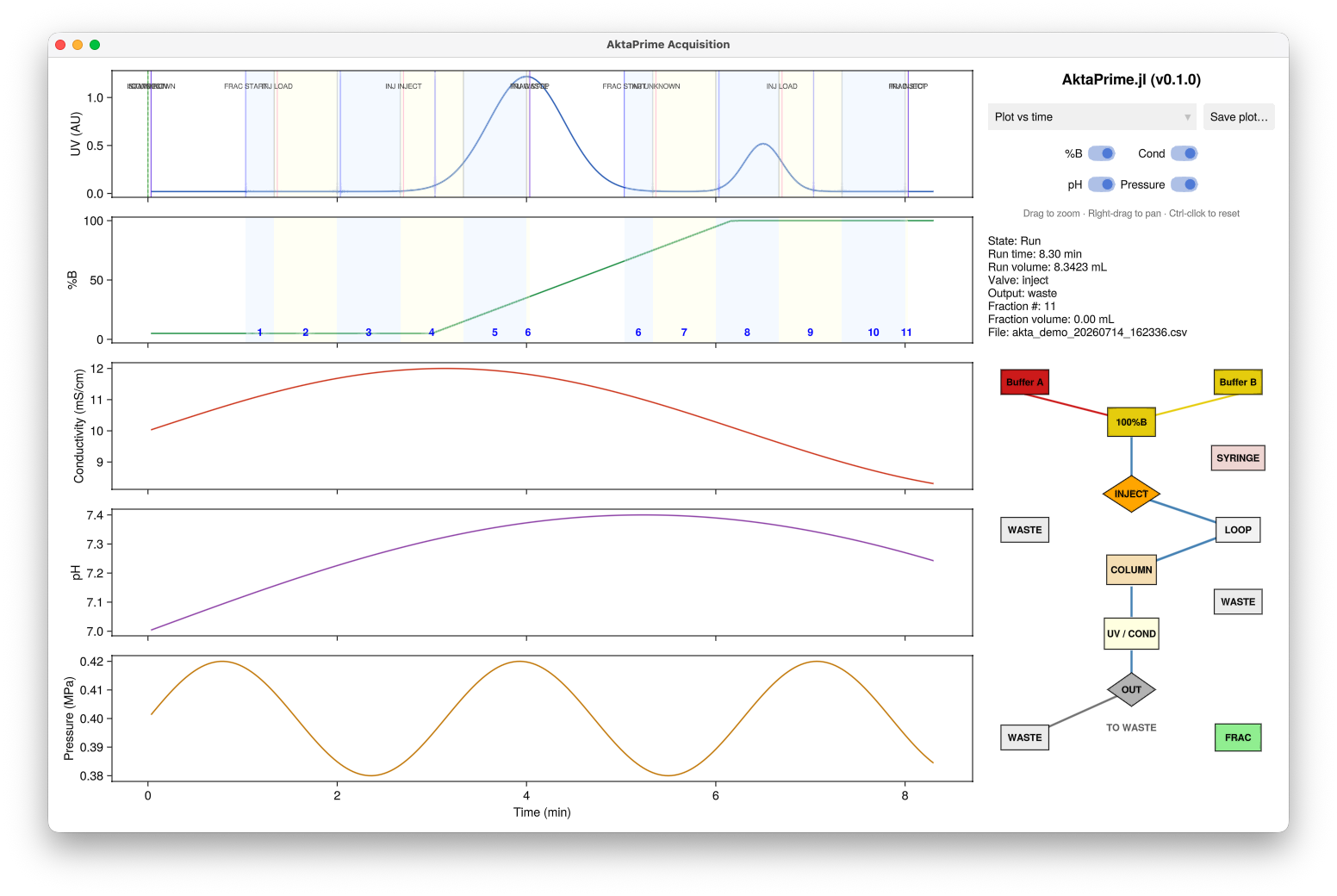
Demo mode: a simulated run, with the gradient (%B), two UV peaks, changing valve positions, and numbered fraction-collection spans — everything works exactly as it does with a real instrument.
Starting demo mode
Just run the app on a computer with no instrument connected:
AktaPrimeThe startup banner tells you it is running in demo mode, and reminds you how to connect a real instrument when you are ready:
  No instrument was found on the serial port:
      /dev/tty.usbserial-110

  Starting in DEMO MODE with simulated data, so you can explore
  the interface without an instrument connected.
You are still asked for a log-file prefix, and demo data are logged to CSV exactly as a real run would be (with a akta_demo default prefix), so you can practise the whole workflow including reopening and exporting results.
What the demo does
The demo generates a repeating chromatogram — a gradient, a couple of peaks, changing valve positions and fraction collection — at roughly ten times real speed. Each simulated run ends after a number of fractions and the next one begins automatically, which also demonstrates the per-run file roll-over: you will see the display clear and a fresh log file start for each new run.
Everything else — zooming, toggling panels, switching between time and volume, and saving figures — works just as it does with a real instrument.